Filters, groups & collections
The chips above the Library and Apps tabs are filters. Each one can also be a row on the Home tab. LT / RT switches between them, tapping a chip selects it.
Manage them
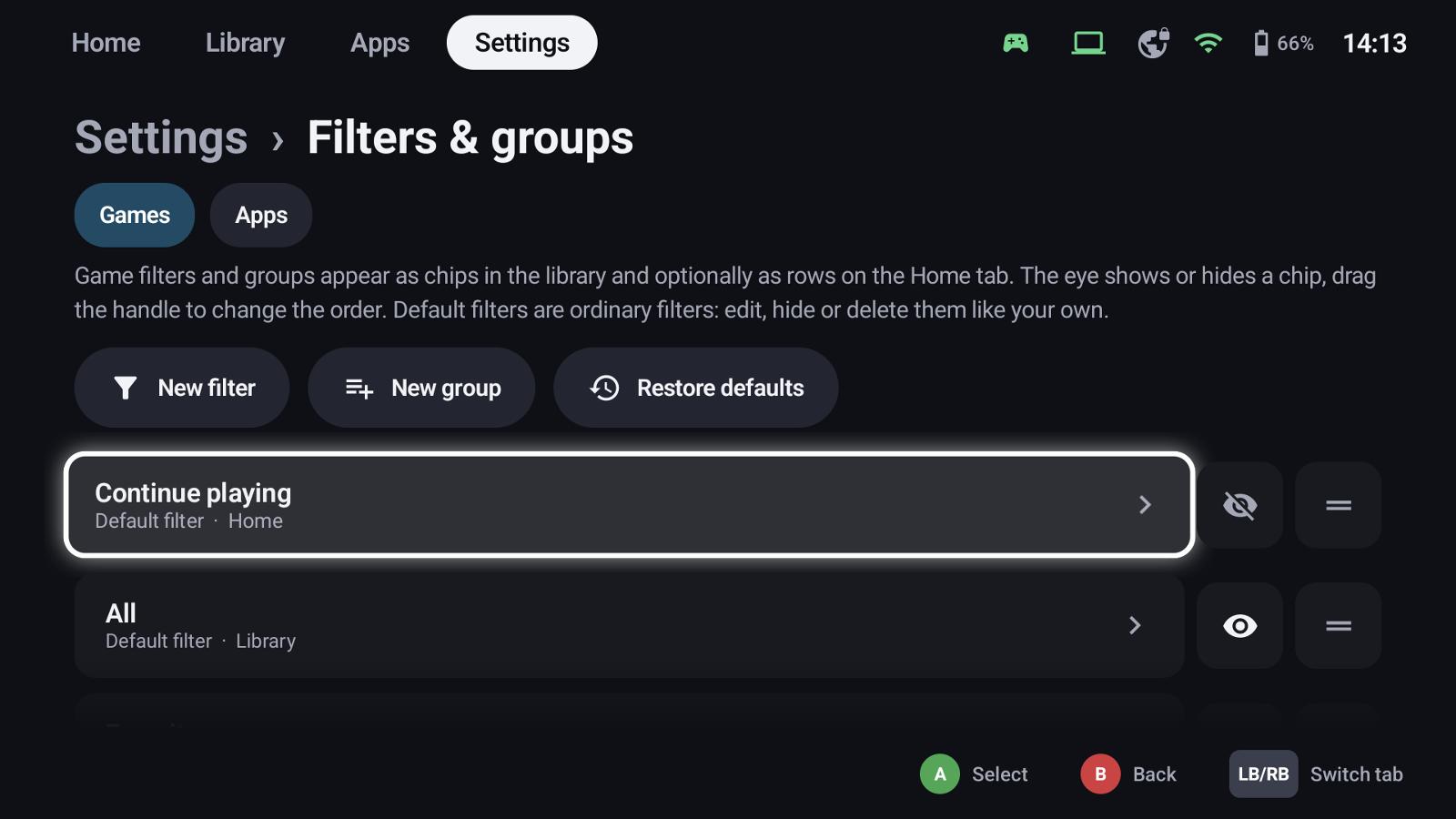
Settings → Filters & groups lists the filters of the Games and the Apps side:
- the eye shows or hides a chip,
- the handle changes the order (drag it, or A then up / down),
- New filter, New group and Restore defaults.
The default filters (Continue playing, All, Favorites, Platforms, Recently added, Hidden …) are ordinary filters: edit, hide or delete them like your own.
Smart filters
A smart filter shows everything that matches its conditions.
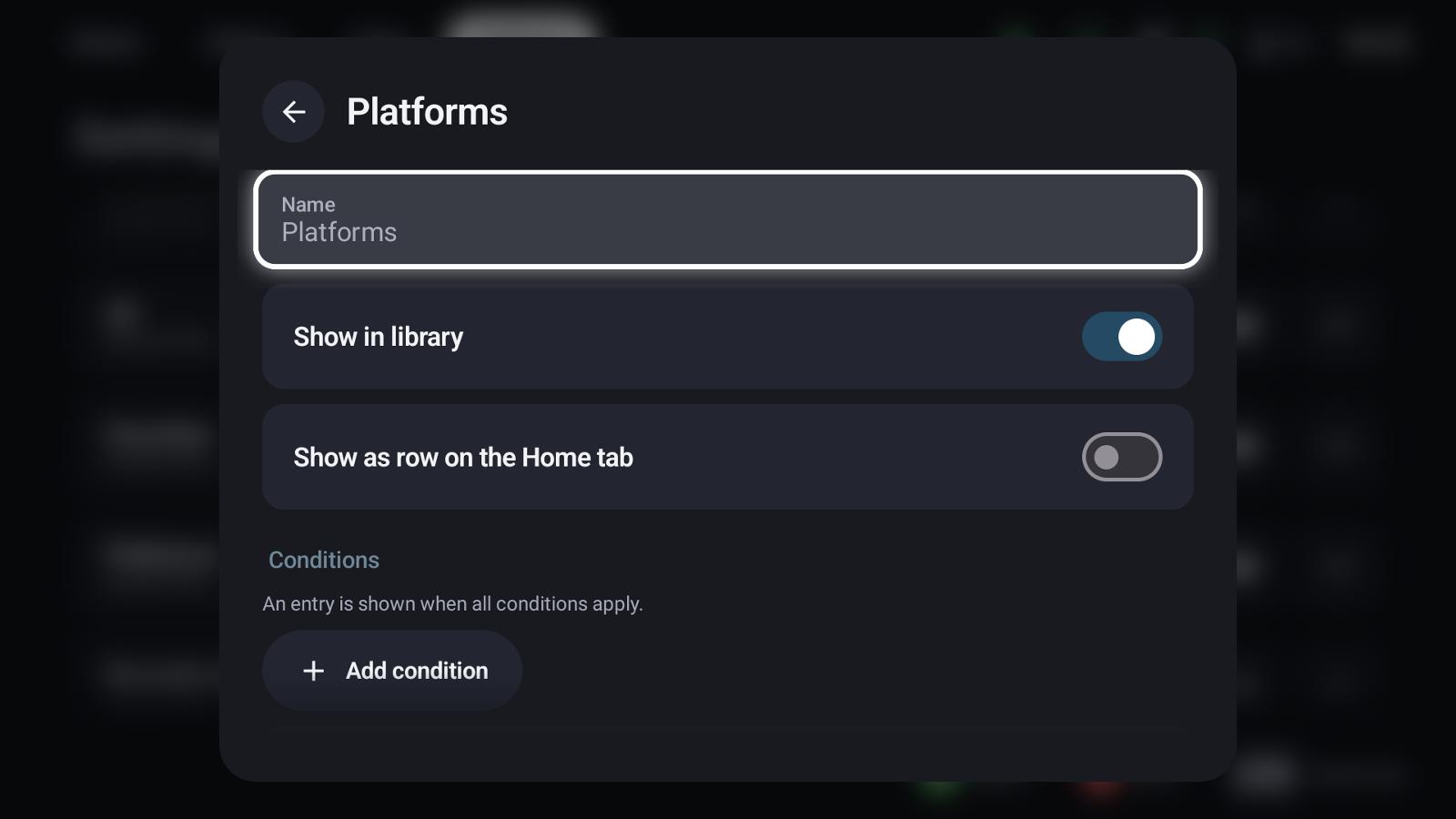
- Name, Show in library and Show as row on the Home tab
- Conditions – an entry is shown when all conditions apply. Add one with Add condition:
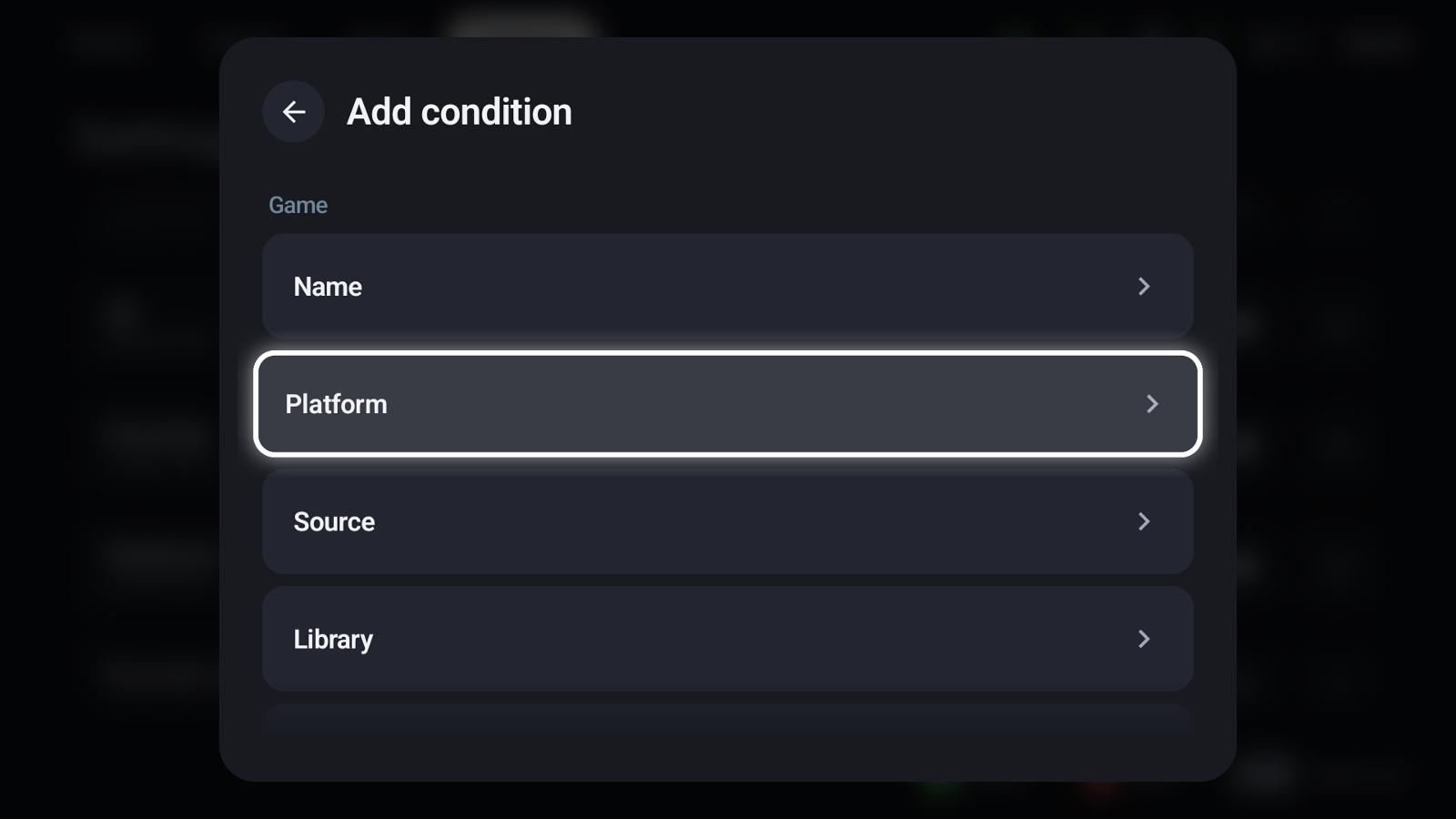
| Condition | Example |
|---|---|
| Name | Entries whose name contains a text |
| Platform | PC, GameCube, PlayStation 2 … |
| Source | Android, host, ROM, a PC store |
| Library | Installed or not |
| Genre, developer, release year, rating | From the metadata |
| Played / favourite / hidden | Your own data |
| Playnite categories | Categories of host games from Playnite |
Within a condition, choose values to include (entries with one of them) or exclude (entries without them); Match all requires every chosen value.
Split by
Split by turns one filter into one chip – and one Home row – per value, for example one chip per platform. The default Platforms filter works like that: it creates the GameCube, PC, Switch … chips.
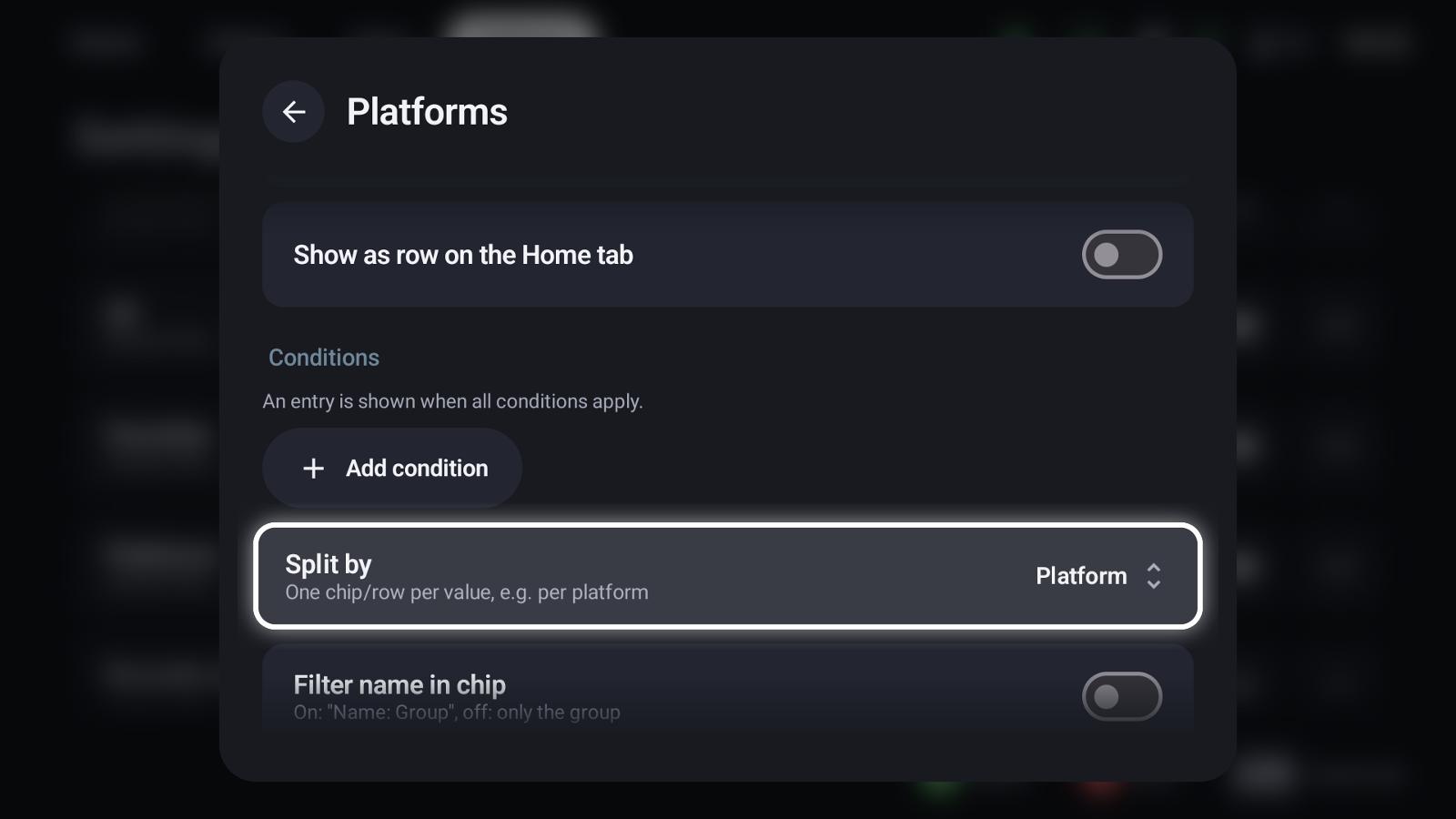
Further options: whether the chip and the Home row show the filter's name ("Platforms: PC") or only the value, the order (name, last played, play time, rating, release year, time to beat …) and a maximum number of entries – useful for Home rows like "Recently added".
Groups (collections)
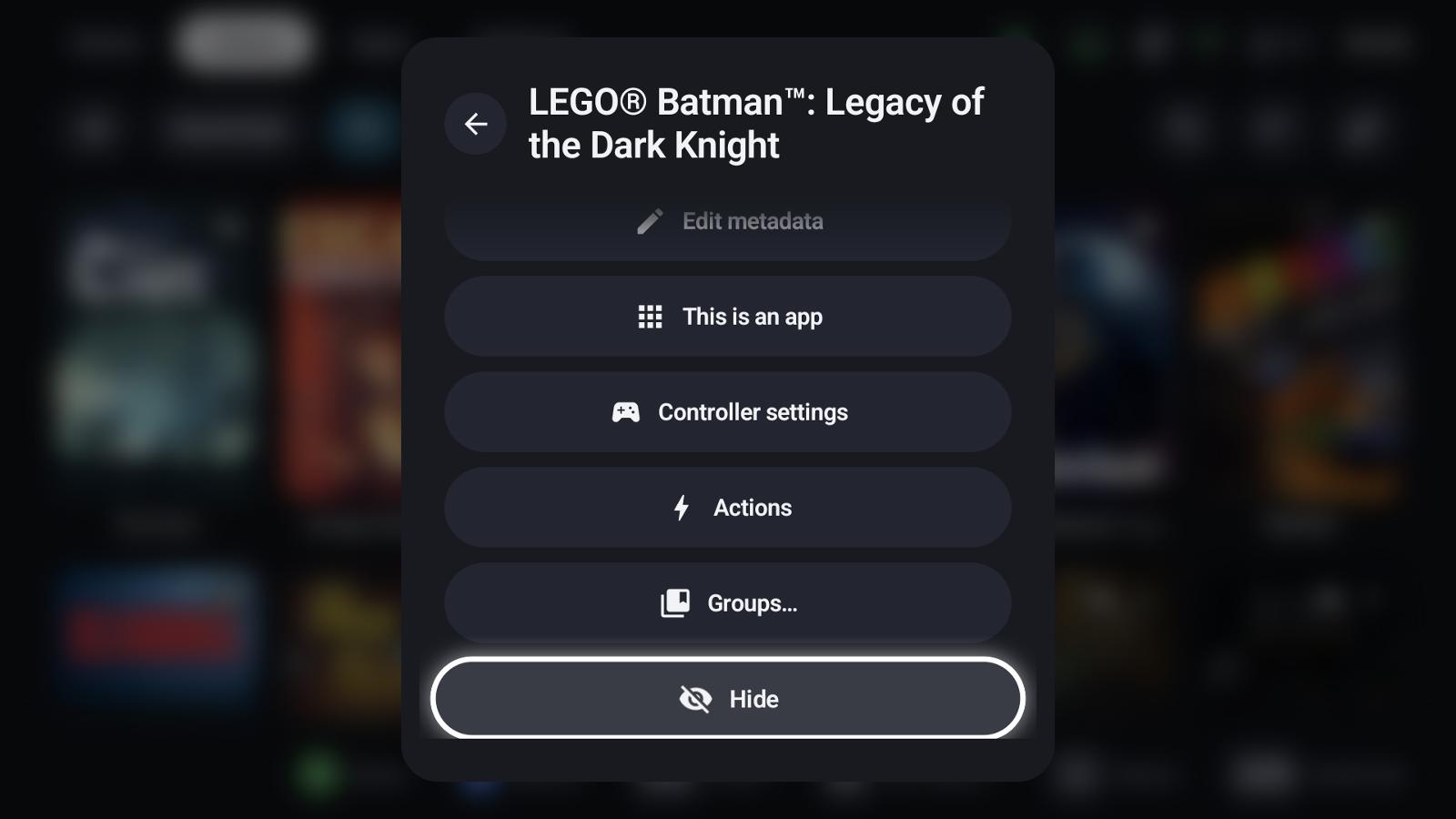
A group is a hand-picked list. Create one with New group, then add games with X → Groups… on any tile – a game can be in several groups. Groups show as chips and Home rows like filters; with a GameLodge host they are shared with your other devices.
Hidden entries
X → Hide removes an entry from all filters; it only shows under the Hidden chip. For host games you choose whether hiding applies only on this device or on all your devices.
See also
- Library
- Home tab & tiles – Home rows and tiles
- Metadata & artwork – platforms and genres the filters use