Hosts & pairing
A host is a PC running Sunshine, Apollo or Vibepollo. GameLodge shows its apps in the library and streams them.
Add and pair a host
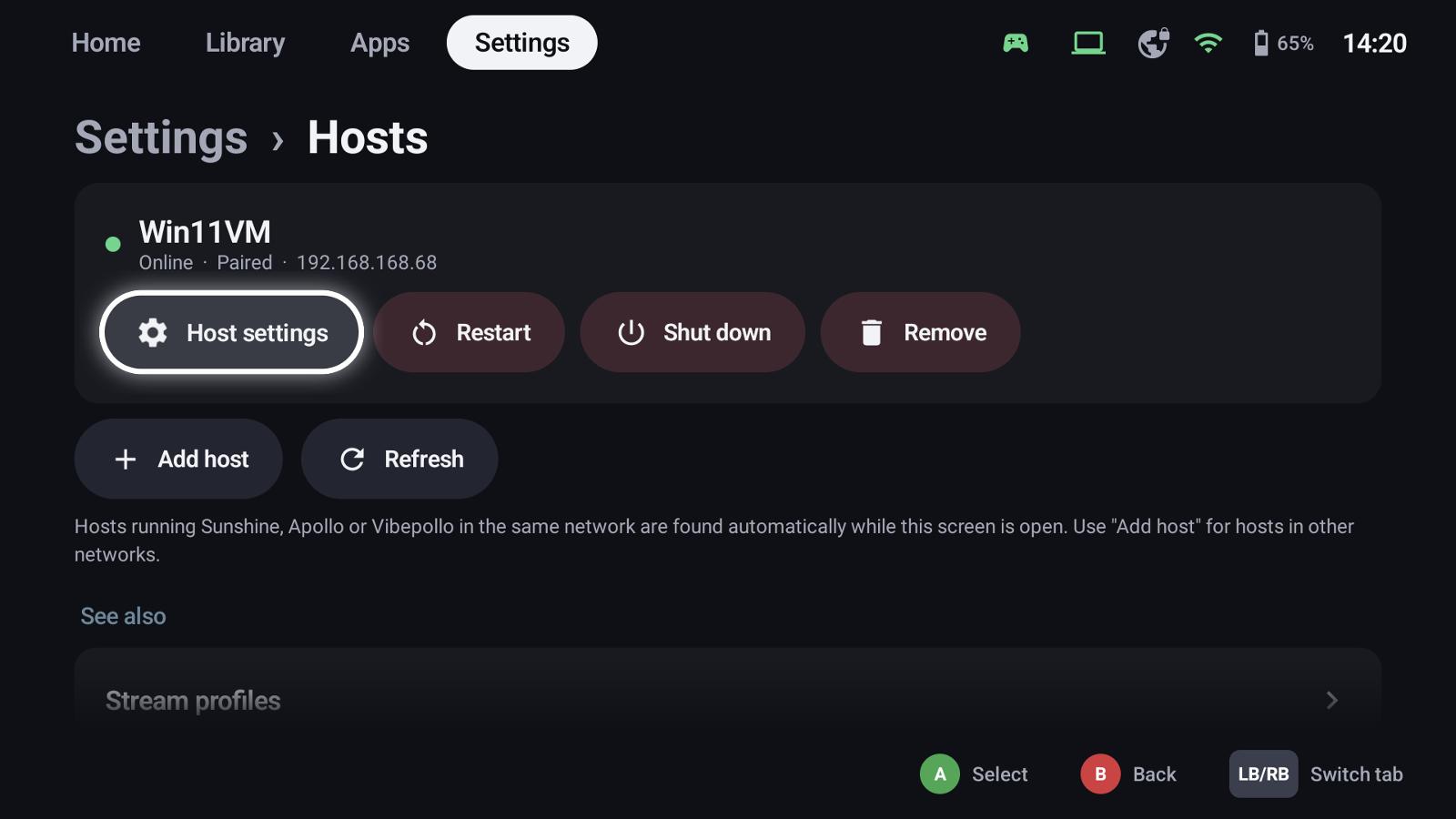
Settings → Hosts finds hosts in the same network while the page is open. For a host in another network choose Add host and enter its address.
- Select the host and choose Pair.
- GameLodge shows a PIN. Open the host's web interface (Sunshine / Apollo / Vibepollo) and enter it.
- The host's apps appear in the library a few seconds later.
The host card shows whether it's online and paired, with Host settings, Restart, Shut down and Remove.
GameLodge on the PC too
If the PC also runs GameLodge for Windows, pair it under Settings → Metadata & artwork → Add source (or in the wizard's GameLodge on the PC step). The library then gets the PC's games with artwork, platform and play data, see Your PC as host.
Host settings
Wake-up
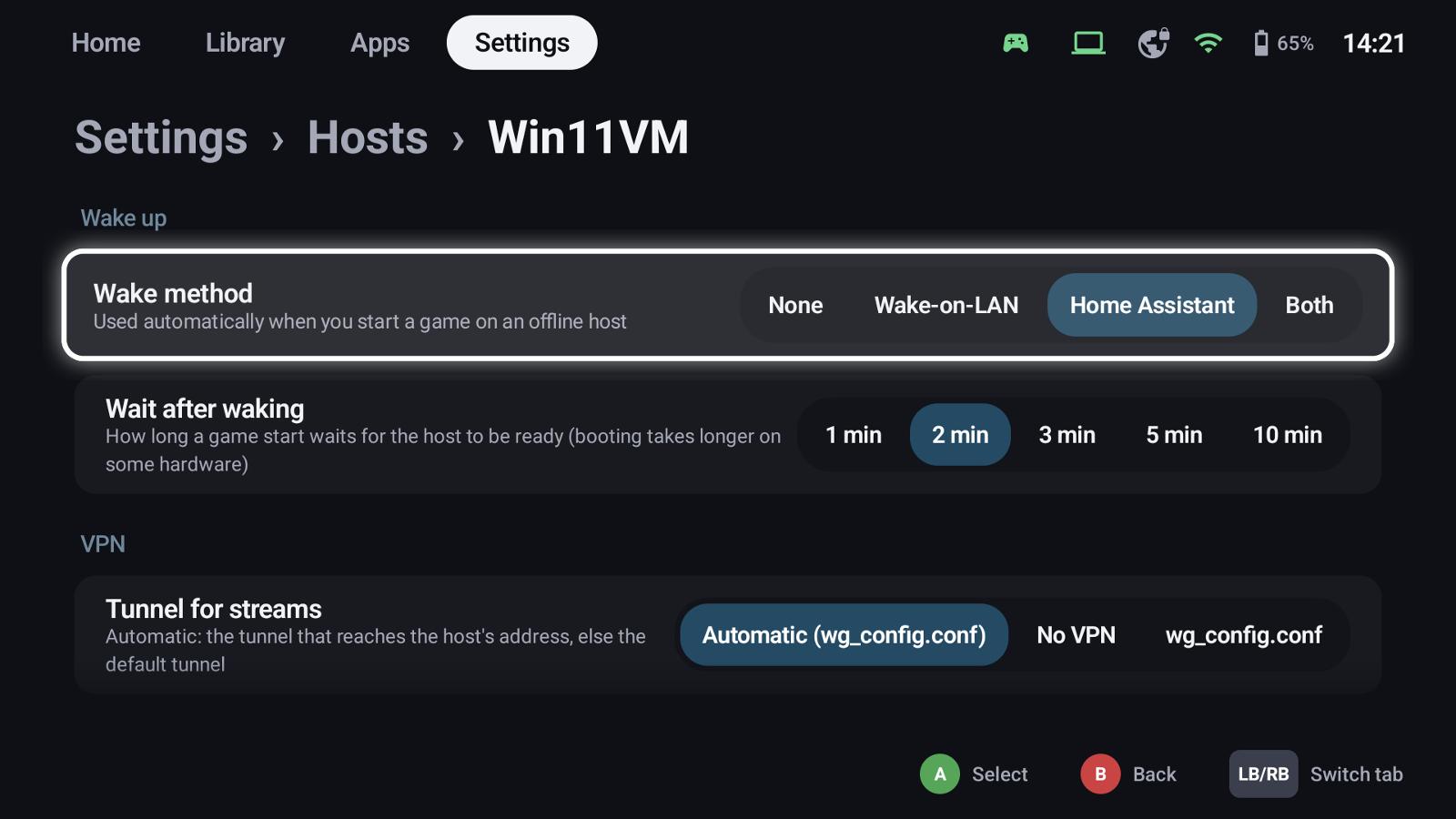
- Wake method: Wake-on-LAN, Home Assistant (an entity that powers the PC on – a smart plug, a VM, a BIOS wake), Both or None. Used automatically when you start a game on an offline host.
- Wait after waking: how long a game start waits for the host to be ready.
VPN
Tunnel for streams: Automatic uses the tunnel that reaches the host's address, else the default tunnel; or a fixed tunnel, or no VPN. See VPN.
Home Assistant actions
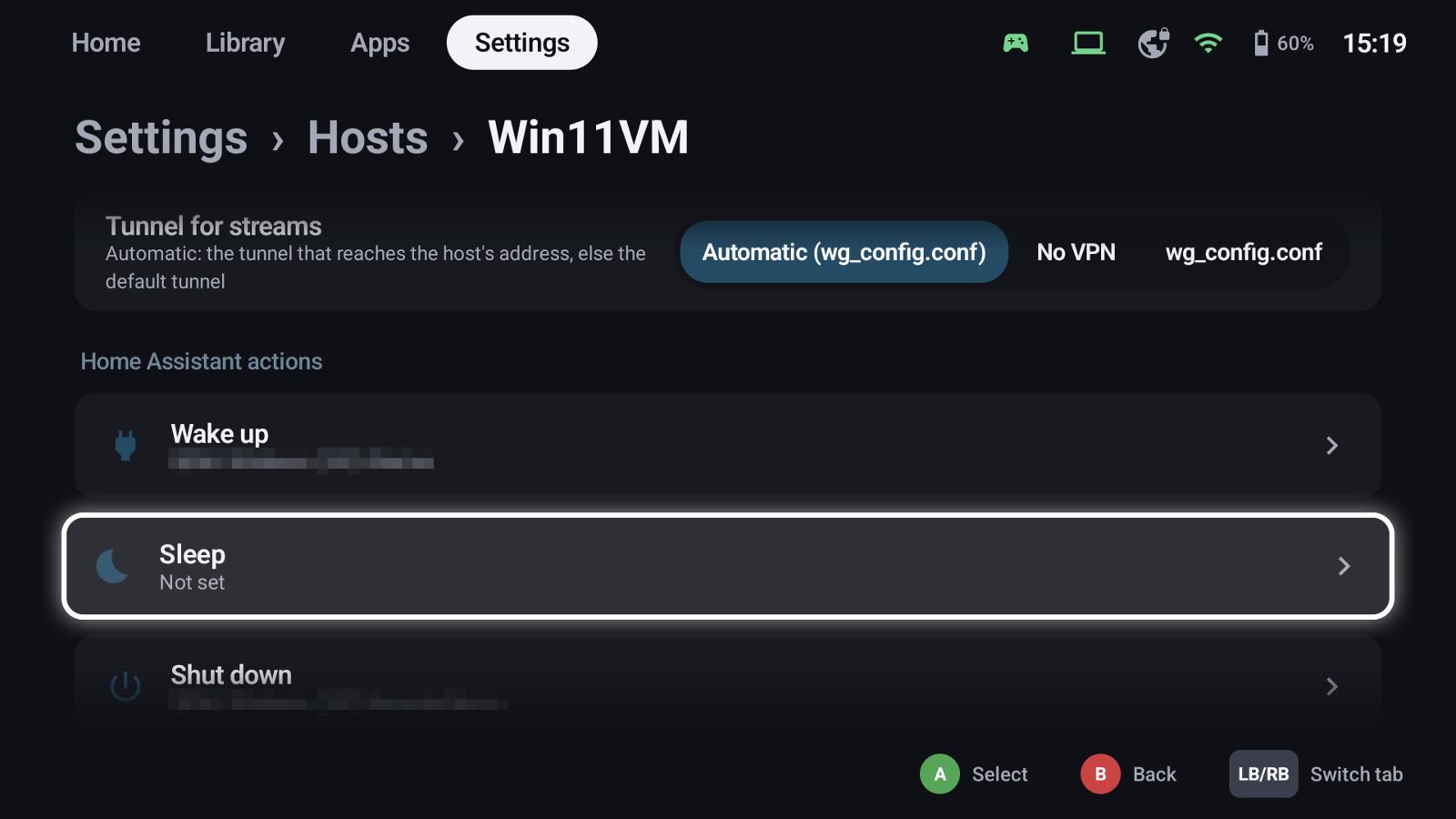
Wake up, sleep, shut down and restart can each run a Home Assistant action – for PCs without Wake-on-LAN or a VM on a hypervisor. They are also offered in the quick menu's Hosts tab.
After streaming
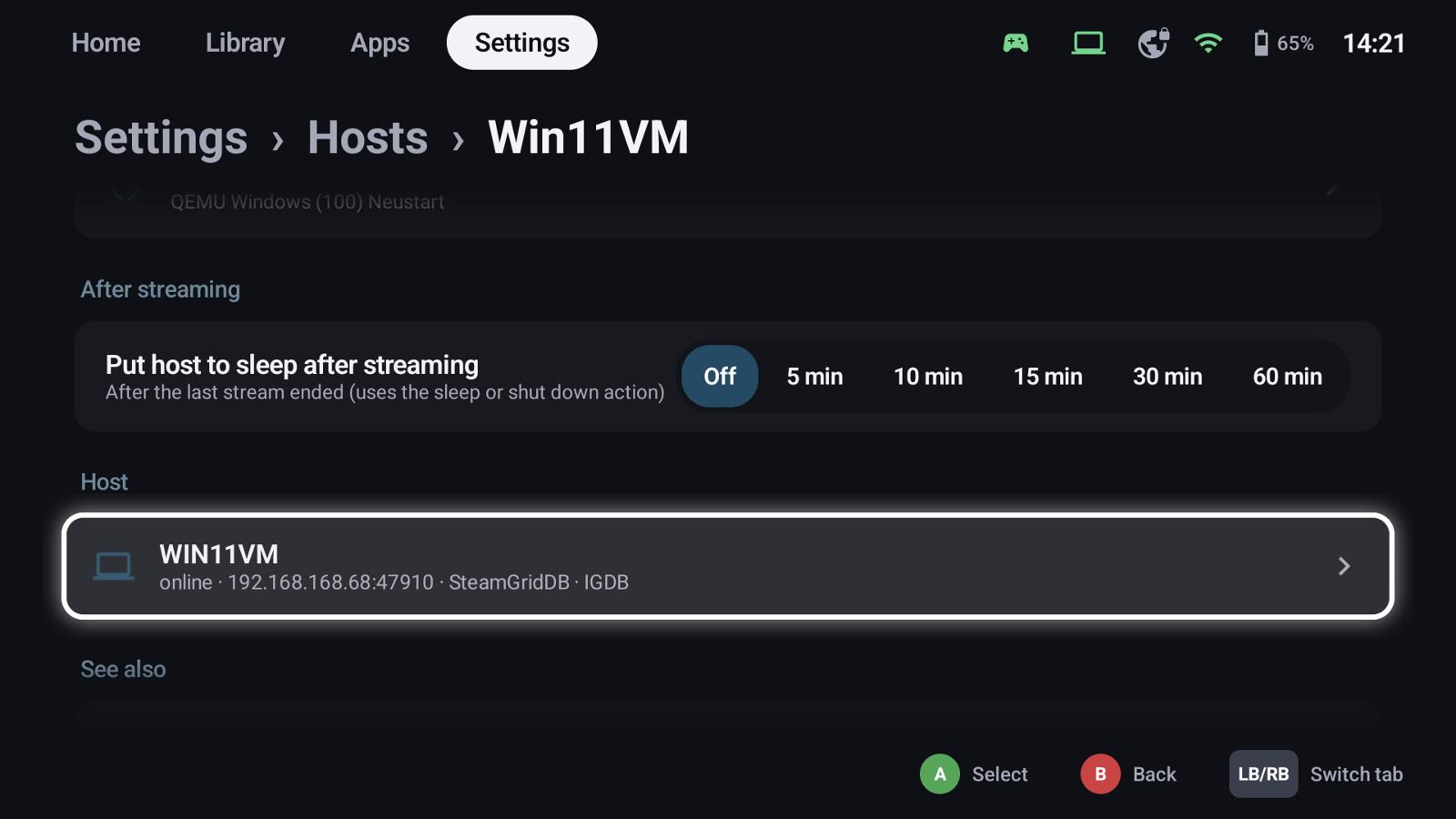
Put host to sleep after streaming: some time after the last stream ended, GameLodge runs the host's sleep (or shut down) action. Starting another stream in time cancels it.
Apollo & Vibepollo
Permissions. Apollo and Vibepollo set per client what it may do. GameLodge needs Launch apps and Controller input; when one is missing it says so on the host card. Allow it for this device in the host's web interface under Clients.
A game another device started. Vibepollo shows a running game only to the device that started it. GameLodge recognises such a session and shows the game as running, so you can take it over from the handheld.
Games of the PC. To fill Vibepollo, Apollo or Sunshine with the PC's games – with the right start command, artwork and play time – set up GameLodge on the PC as streaming host.
See also
- Streaming host – the PC's games on Vibepollo, Apollo or Sunshine
- Stream profiles
- VPN (WireGuard) – streaming away from home
- Home Assistant – wake up and sleep through Home Assistant