Stream profiles
A stream profile is a set of stream settings: resolution, frame rate, bitrate, codec, HDR and more.
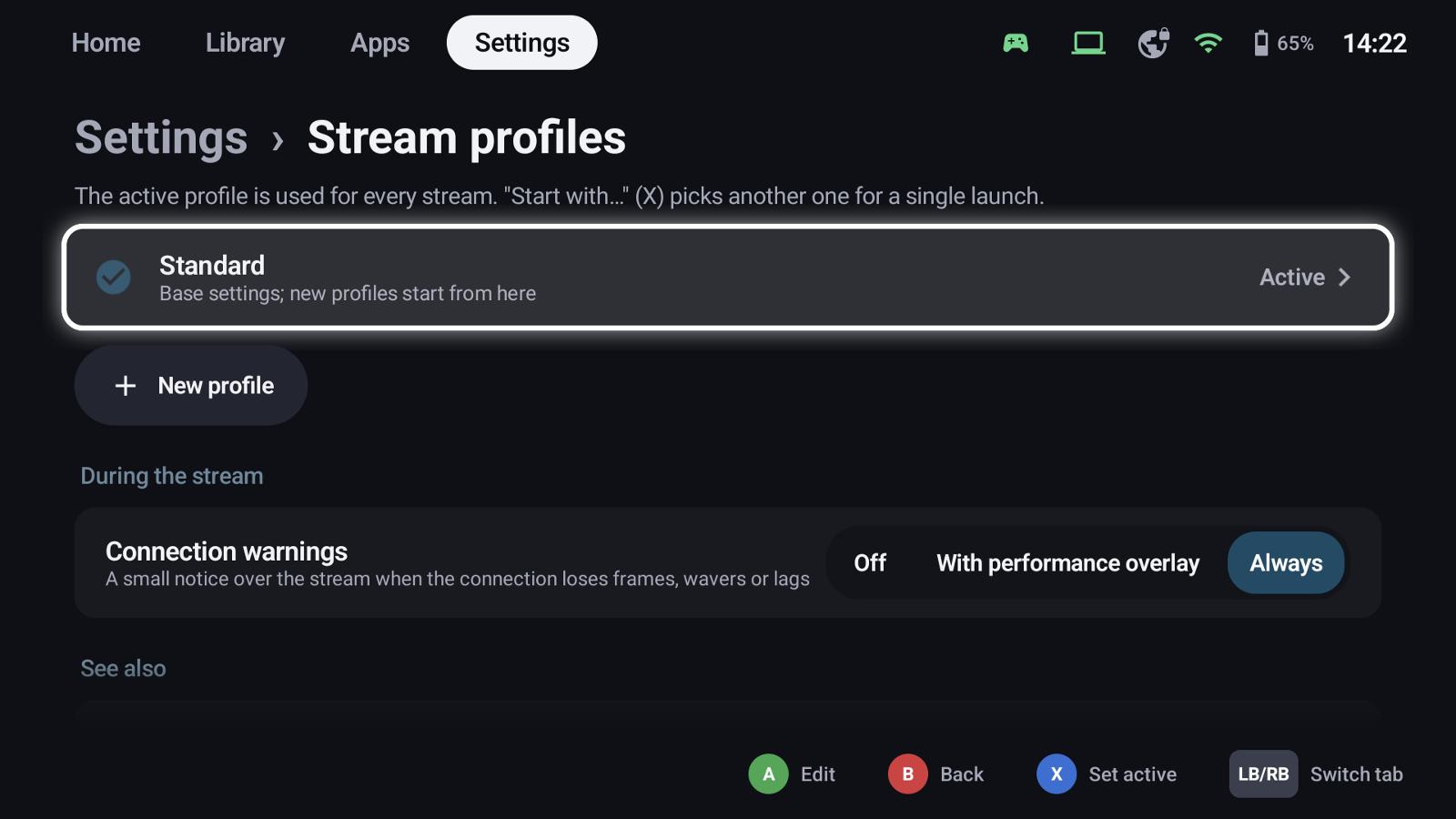
Base settings and profiles
- Standard holds the base settings; new profiles start from it.
- New profile creates another one, e.g. TV 4K HDR or Mobile data.
- The active profile (X: Set active) is used for every stream.
- Start with… (X on a tile) picks another profile for a single launch.
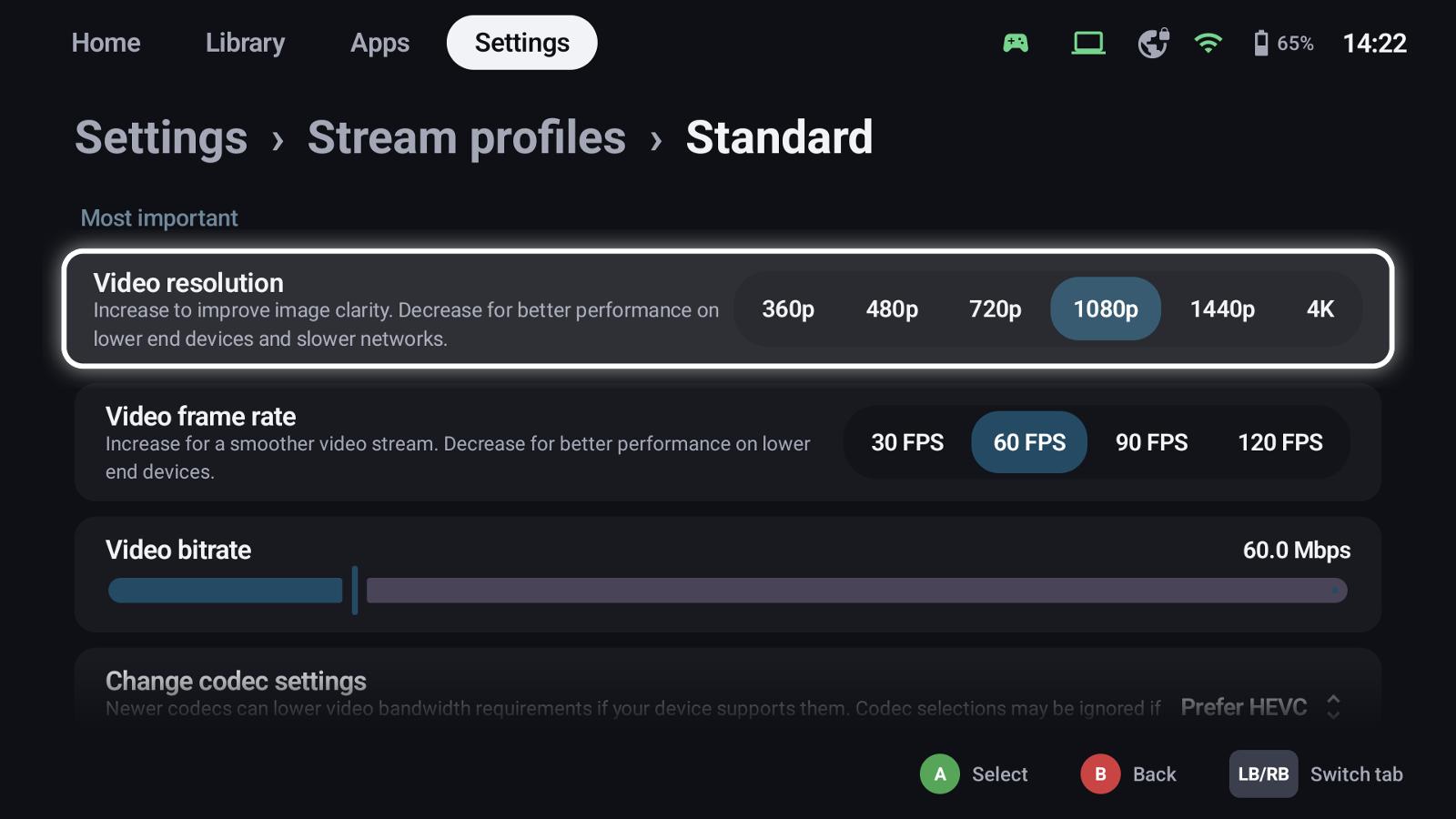
The most important settings
| Setting | Notes |
|---|---|
| Video resolution | 360p to 4K; lower for weak networks or devices |
| Video frame rate | 30 to 120 FPS |
| Video bitrate | Higher is sharper, needs a better network |
| Codec | H.264, HEVC or AV1, if the device and the host support them |
| HDR | Needs a host GPU with HEVC Main 10 encoding |
| Virtual display | Apollo / Vibepollo create a display matching your resolution and frame rate |
| Frame pacing | Balance between latency and smoothness |
Further down: audio, touch and mouse behaviour, on-screen controls and more – the full set of the built-in streaming client.
During the stream
Connection warnings show a small notice over the stream when the connection loses frames, wavers or lags – always, only with the performance overlay, or never.
See also
- Hosts & pairing
- Controllers & shortcuts – controllers in the stream
- Quick menu – stream controls during the game
- TV mode & screensaver – resolution on a TV